Browser Extension · Outlook · Microsoft 365

Know Who Matters Most
in Your Inbox

Email Contact Analyzer ranks your Outlook contacts by email volume, so you can focus on your most important relationships.

Works with Microsoft 365 · Free up to 20 contacts

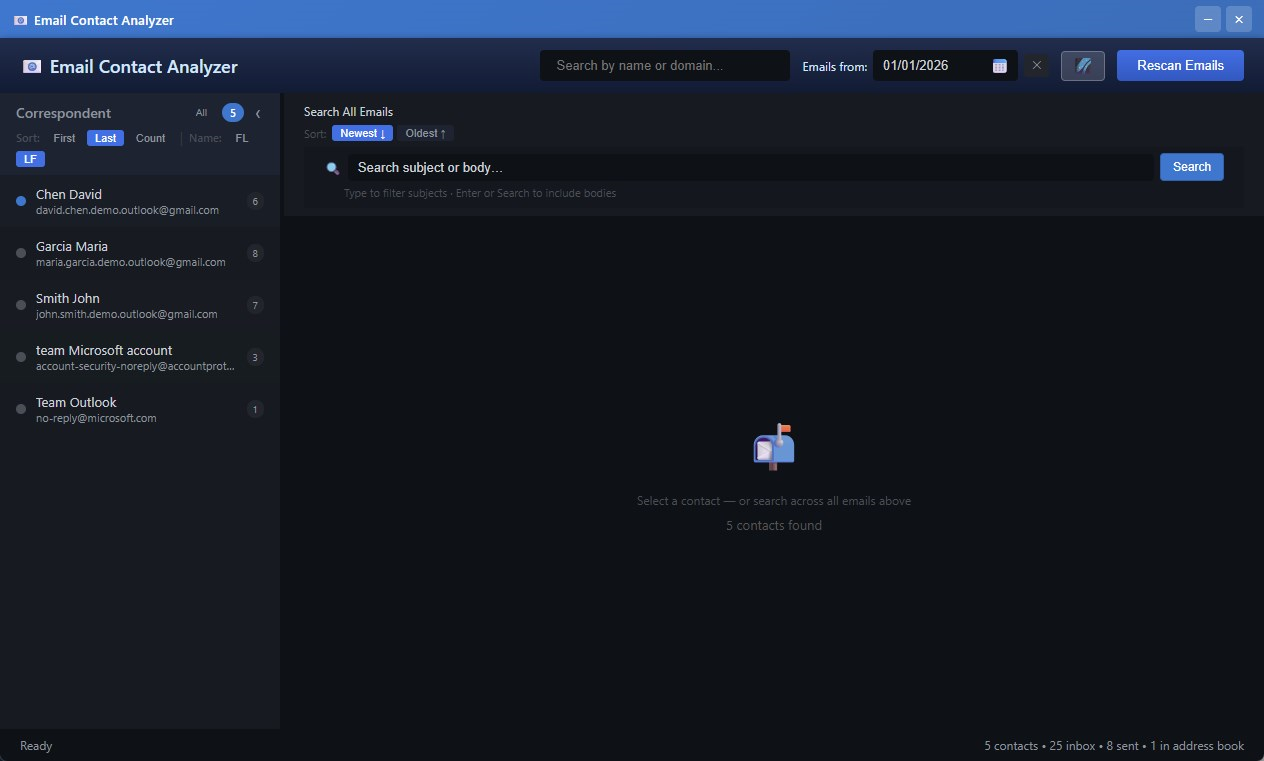
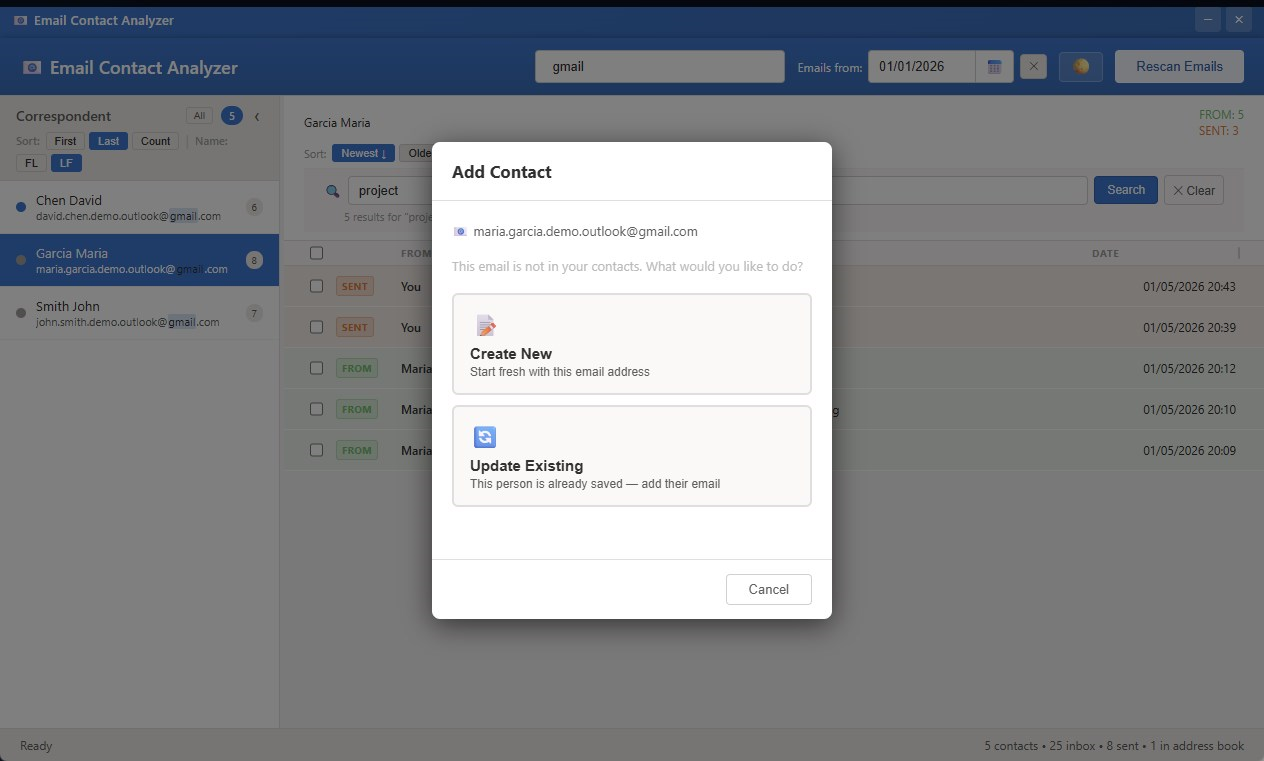
Email Contact Analyzer showing ranked contacts and email history panel
How it works

Three Steps to Better Email Management

Up and running in minutes — no configuration, no IT department needed.

1
Install & Connect

Add the extension to Chrome or Edge and sign in with your Microsoft 365 account. Secure OAuth 2.0 authentication — your password never touches us.

2
Automatic Analysis

Pick a start date and hit Scan. The extension reads your inbox and sent mail, counts every interaction, and ranks every contact by email volume.

3
Find Anyone, Fast

Search across all emails instantly. Click any contact to see your complete conversation history — sent and received — in one clean view.

Features

Everything You Need to Manage Email Relationships

Built for people who live in Outlook and need real insight into their communication patterns.

📊
Contact Ranking
"See your top contacts ranked by total email volume"
  • Instantly identify your most frequent correspondents
  • Sort by first name, last name, or email count
  • Visual indicators show sent vs. received emails
🔍
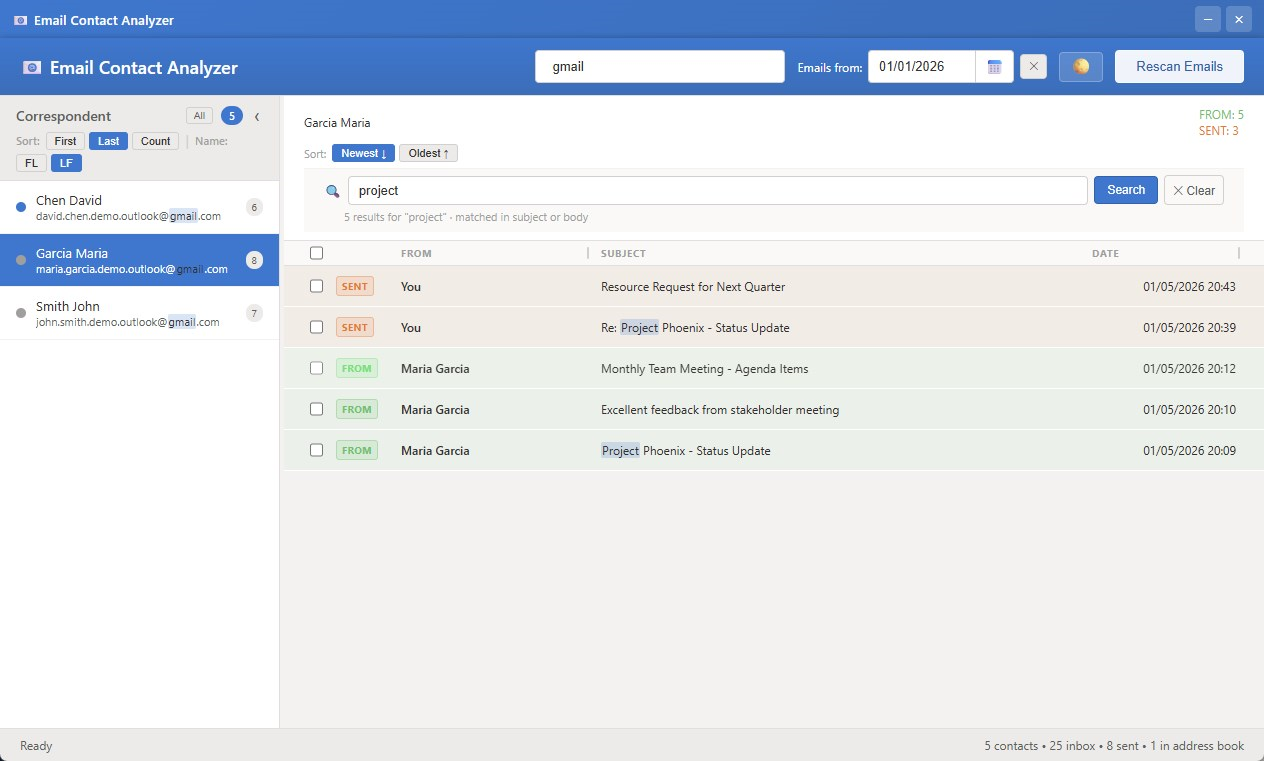
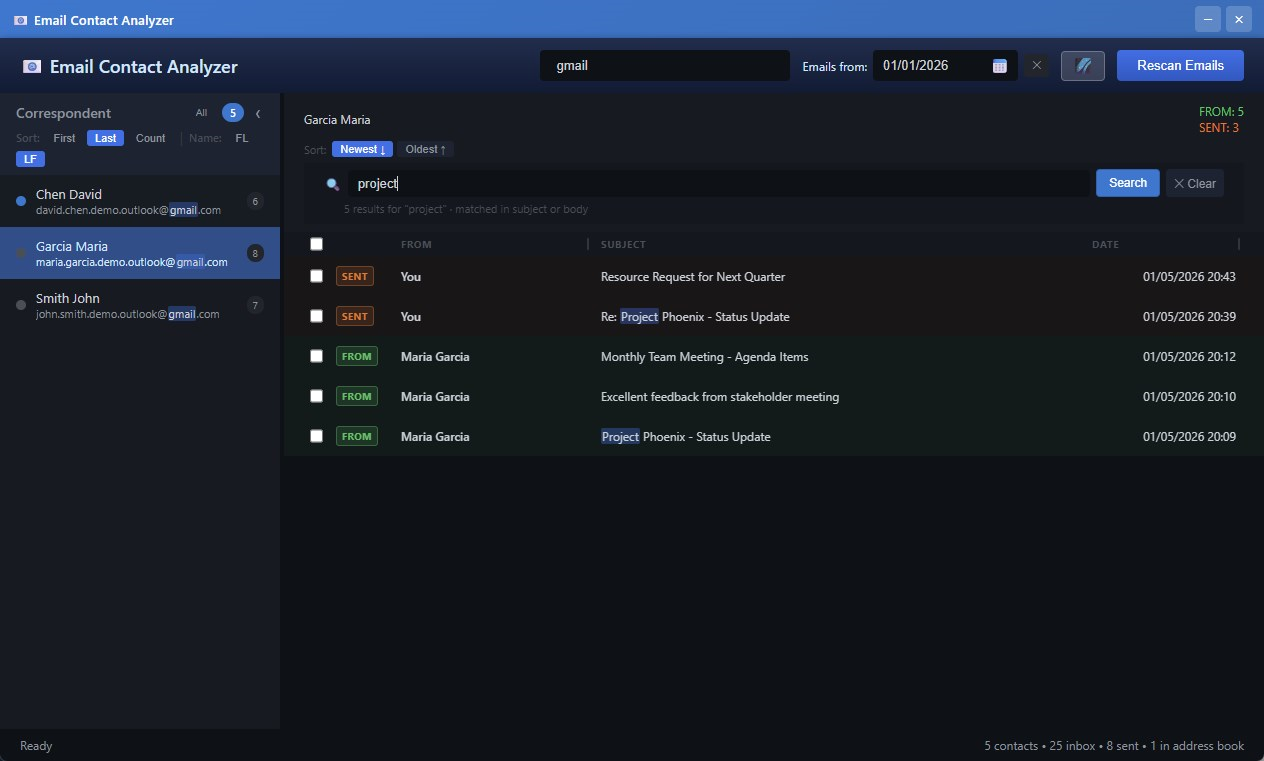
Powerful Search
"Find any email in seconds with full-text search"
  • Search email subjects AND body content
  • AND / OR / exact-phrase search modes
  • No more endless scrolling through Outlook
📧
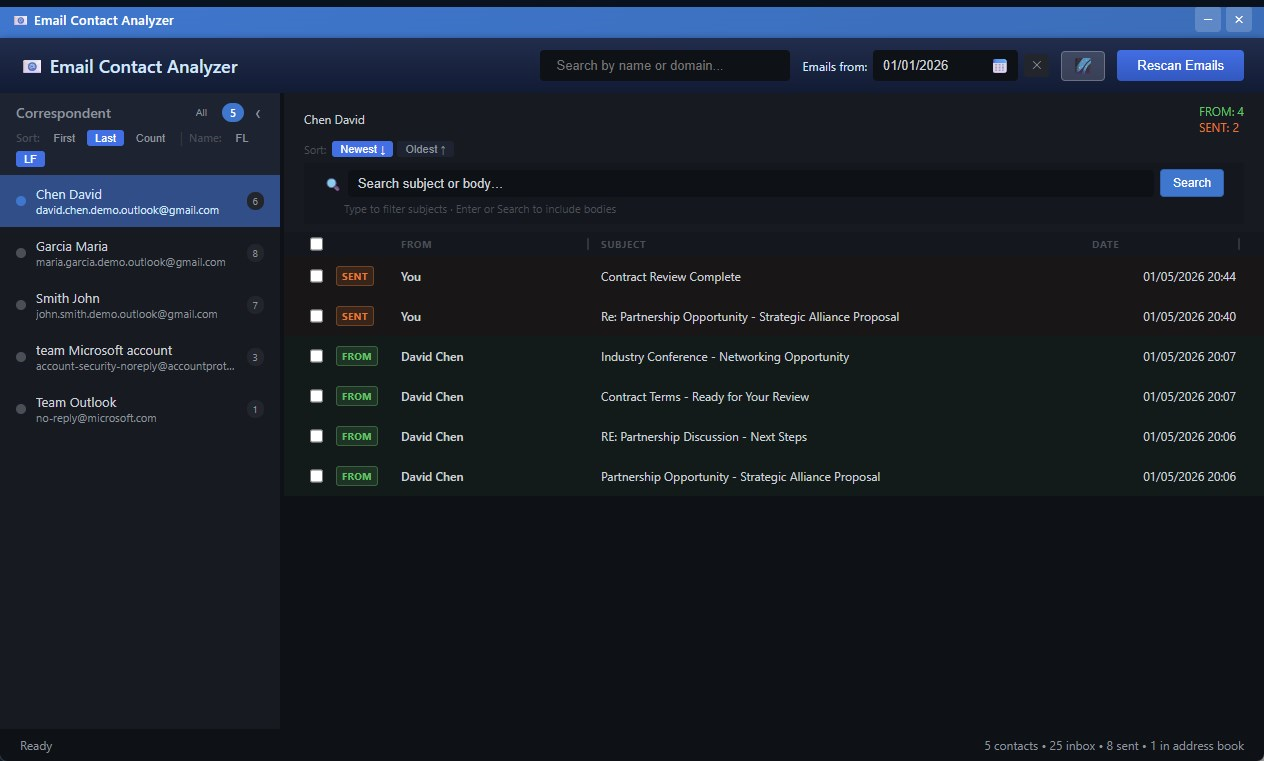
Complete Conversation View
"Click any contact to see your entire email history"
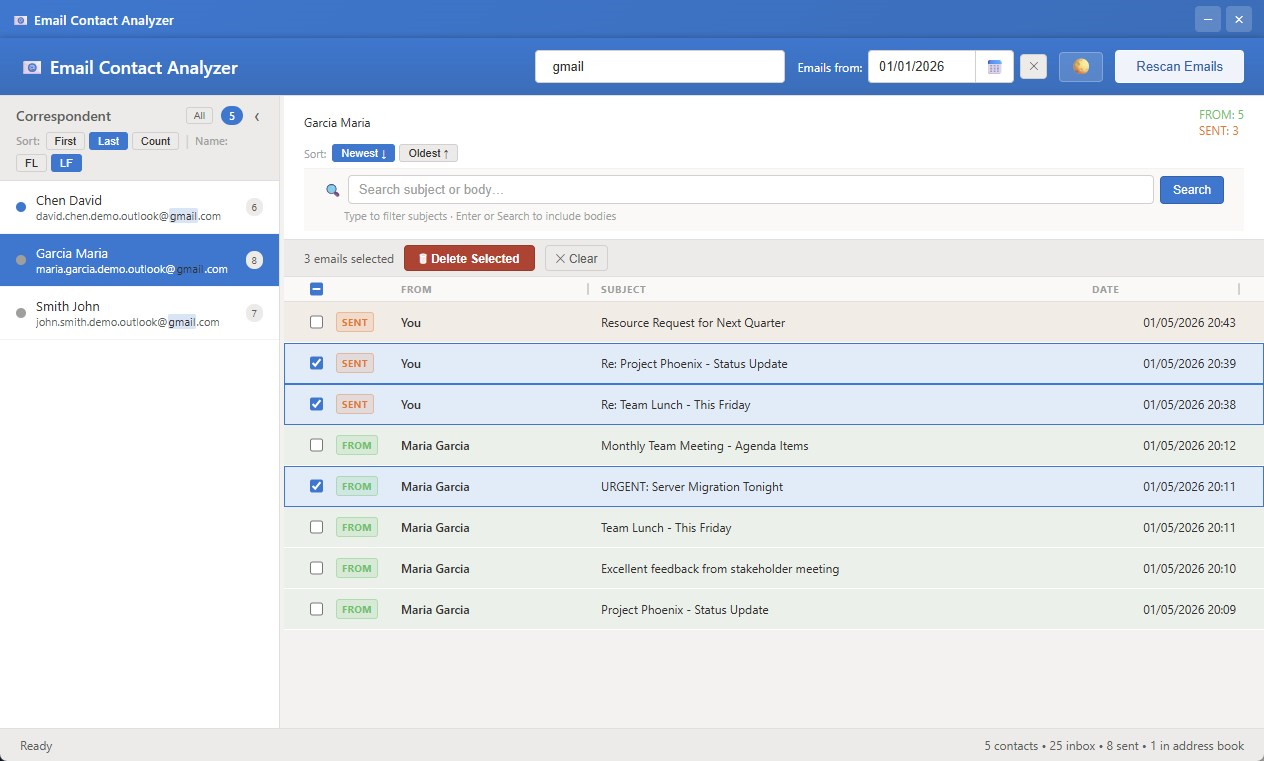
  • See all emails with that person in one place
  • Clear SENT / FROM indicators per message
  • Full HTML email body with inline images
📅
Date Range Filtering
"Zero in on any time window instantly"
  • Calendar picker for precise date selection
  • Filter updates contact counts in real time
  • Clear filter with a single click
🌐
Domain & Address Search
"Find everyone you've emailed at a company"
  • Type @company.com to list all contacts there
  • Partial name and email address matching
  • Matches highlighted in the contact list
🔵🟠
At-a-Glance Contact Indicators
"Know exactly who each contact is before you click"
  • Blue circle — contact exists in your Outlook address book
  • Orange highlight — contact has multiple email addresses
  • Expand orange contacts to see and filter by each address
  • Instantly distinguish new senders from known contacts
📝
Outlook Contact Integration
"Edit and create contacts without leaving the app"
  • Double-click any contact to edit name, phone, secondary email
  • Create new Outlook contacts from discovered senders
  • Add a new email address to an existing contact in one step
🗑️
Bulk Email Actions
"Clean up hundreds of emails in a few clicks"
  • Shift+click and Ctrl+click for multi-select
  • Select-all checkbox with bulk delete
  • Open any email directly in Outlook web
🌓
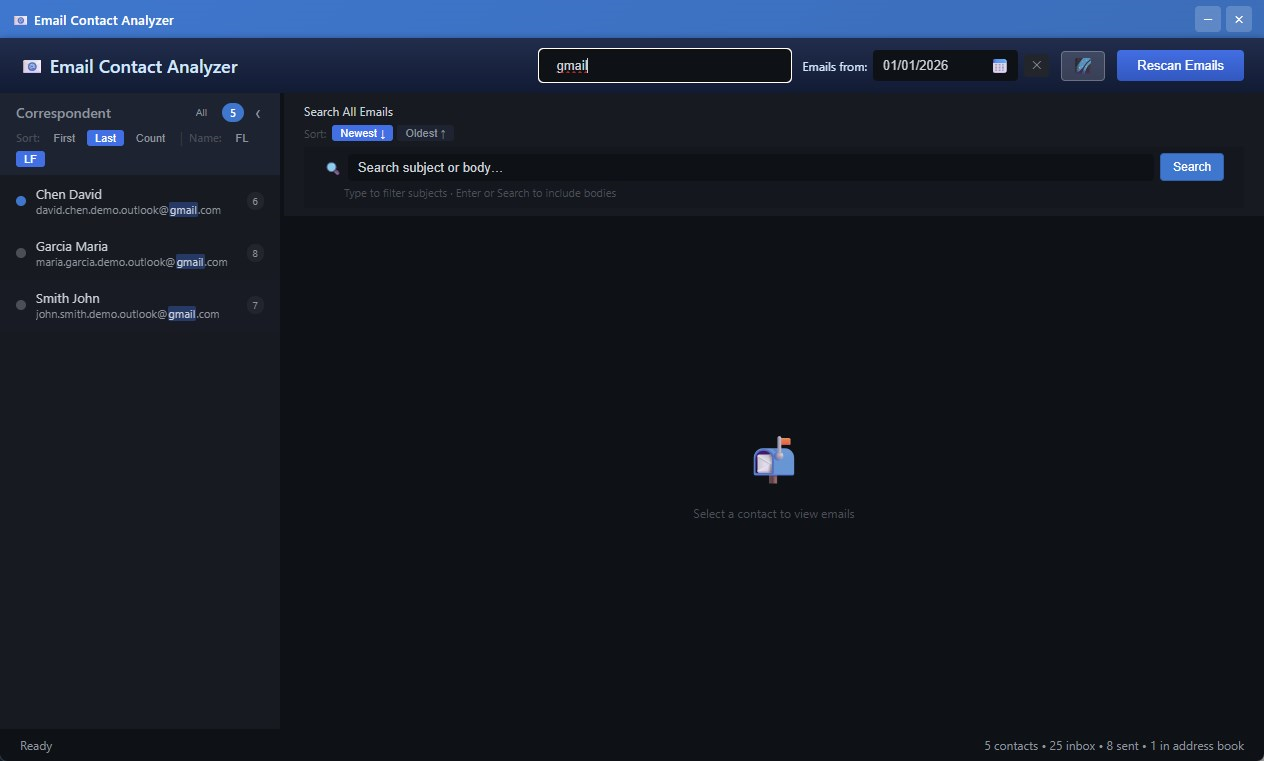
7 Beautiful Themes
"Easy on the eyes, day or night"
  • Dark · Light · Midnight Blue · Forest · Sepia · Crimson · Windows
  • Windows theme follows your system accent color
  • Your preference is saved automatically
🔒
Privacy First
"Your data never leaves your computer"
  • All processing happens locally in your browser
  • No cloud storage, no external servers
  • Uninstall removes everything completely
📐
Flexible Layout
"Arrange your workspace exactly how you like it"
  • Three-panel layout: contacts · emails · reading pane
  • Drag dividers to resize any panel
  • Window size and position remembered
🌍
Multi-Language Support
"Works with international names"
  • Handles Greek, Cyrillic, and Latin diacritics
  • Smart name parsing with locale-aware sorting
  • Accent-insensitive search across all languages
Built for Large Mailboxes
"Handles years of email history without breaking a sweat"
  • Pagination support for unlimited email volume
  • Smart retry logic with rate-limit handling
  • Stop and resume scanning at any time
Screenshots

See It in Action

Real screenshots from the extension — no mockups, no staging environments.

Who it's for

Perfect For

Anyone who spends meaningful time in Outlook and wants to understand their email relationships at a glance.

💼
Sales Professionals

Track client relationships, see who you haven't emailed in a while, and never lose touch with key accounts.

🎧
Support Teams

Quickly surface full conversation history with any customer — no switching between threads or folders.

📋
Managers & Coordinators

Stay on top of communication with multiple stakeholders and identify who needs attention most.

📥
High-Volume Email Users

Stop drowning in Outlook. Rank, filter, and search your way to the emails that actually matter.

Privacy & Security

Built with Privacy in Mind

We take a simple approach: your data belongs to you and stays with you.

Local-only processing
Your emails are analysed inside your browser. Nothing is transmitted to our servers.
Read-only access
We never modify, move, or delete your emails unless you explicitly request it.
OAuth 2.0 PKCE security
Industry-standard authentication via Microsoft's own identity platform.
No analytics, no tracking
We collect no usage data. No third-party analytics scripts are loaded.
Full removal on uninstall
Uninstalling the extension erases all locally stored data immediately.
Read Full Privacy Policy
🏠
100% Local Processing Email data never leaves your machine
👁️
Read-Only Access We cannot send, delete, or modify emails
🔐
OAuth 2.0 PKCE Tokens stored in session only, never sent to us
🚫
Zero Analytics No tracking scripts, no telemetry, no ads
Pricing

Simple, Transparent Pricing

Start for free. Upgrade when you need more.

Free
$0
forever

  • Up to 20 contacts
  • Contact ranking & sorting
  • Full-text email search
  • Conversation history view
  • Date range filtering
  • All 7 themes
  • Outlook contact integration
  • Pro features (coming soon)
Install Free

Start Understanding Your Inbox Today

Free for up to 20 contacts. No credit card, no account needed beyond your Microsoft 365 login.

Requires Microsoft 365 account · Works with Chrome & Edge